 Free · watermarkUnlocked · $2.99
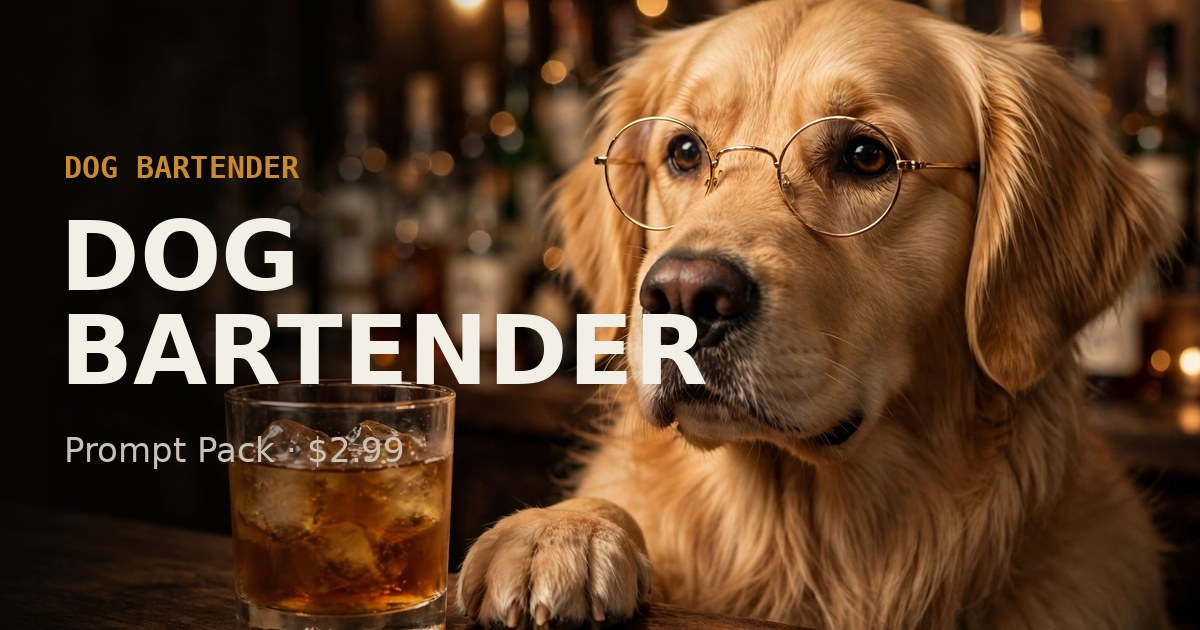
Make your own dog bartender video: 26 copy-ready prompts for start frames and video clips, 20 bartender one-liner captions and a step-by-step workflow from still to posted clip. Free sample prompts on this page; the full pack is a one-time $2.99.
- 26 copy-ready AI prompts: 8 to edit your own photo, 12 text-to-video, 6 for Midjourney
- 20 bartender one-liner captions to voice or caption your clip
- Pro tips: keeping your pet's look consistent, still to video, voice, captions, posting
- Watermark-free export from Speakeasy Tint, at your photo's original size (up to 4000px on the longest side)
Try these free
Edit this photo of my dog: keep the dog's real face, fur and colors exactly, but add small round gold-rimmed glasses sitting naturally on its nose, and place it behind a wooden bar counter with cocktail bottles blurred in the background. Photorealistic, warm bar light, close-up.Vertical 9:16 video, close-up of a golden retriever wearing small round glasses behind a wooden bar, shaking a cocktail shaker with its paws, then sliding a finished drink toward the camera. Static phone camera, warm neon bar light, deadpan mood, photorealistic, 5 seconds.a golden retriever bartender wearing small round gold-rimmed glasses, standing behind a wooden cocktail bar, polishing a glass with a cloth, bottles lined up behind, warm tungsten light, shallow depth of field, photorealistic --ar 9:16 --style raw --v 7
These come from the paid pack. See everything in Dog Bartender Prompt Pack →
Speakeasy Tint
Gives your pet's photo a warm, speakeasy-style tint and a dark vignette, right in your browser. It does not dress your dog up as a bartender. The prompt pack is for that.
- Upload
Pick a photo from your phone. Nothing is uploaded to a server — it all happens on your device.
- Preview free
See the result instantly, with a watermark.
- Unlock & export
Buy Dog Bartender Prompt Pack once for $2.99 and the export on this device has no watermark.
Dog Bartender Prompt Pack
Full prompt pack, bartender one-liner captions and pro tips for the whole workflow. One-time purchase, instant unlock.
- 26 copy-ready AI prompts: 8 to edit your own photo, 12 text-to-video, 6 for Midjourney
- 20 bartender one-liner captions to voice or caption your clip
- Pro tips: keeping your pet's look consistent, still to video, voice, captions, posting
- Watermark-free export from Speakeasy Tint, at your photo's original size (up to 4000px on the longest side)
Pay once, with no subscription and no account. After checkout you come straight back here and it unlocks on this device. Bookmark or save the pack page so you keep it.
Secure checkout by Stripe. Instant unlock on this device after payment.
Bought on another device?
| Feature | Free preview | Unlocked |
|---|---|---|
| Dog Bartender Prompt Pack | Free sample on this page | Full pack |
| Speakeasy Tint preview | Yes, watermarked | Yes |
| Save as PNG | — | No watermark, original size |
| Photos uploaded to a server | Never | Never |
| Price | Free | $2.99 once |
FAQ
What do I get for $2.99?
Dog Bartender Prompt Pack: Full prompt pack, bartender one-liner captions and pro tips for the whole workflow. One-time purchase, instant unlock. It is a one-time payment, with no subscription and no account.
What is free?
The sample on this page and the Speakeasy Tint preview (with a watermark) are free. Gives your pet's photo a warm, speakeasy-style tint and a dark vignette, right in your browser. It does not dress your dog up as a bartender. The prompt pack is for that.
Does this site make the AI image for me?
No. Nothing on this site generates AI images. Dog Bartender Prompt Pack gives you the prompts and instructions to use in an AI image tool you already have, or for a real photoshoot.
Do I need to install anything?
No. Everything runs in your browser. Your files never leave your device.
How do I get my export after paying?
Right after checkout you return to this page and it unlocks automatically on this device. A bar at the top links to your pack. Save or bookmark that page. On a new device, use “Restore purchase” with the email you paid with and the receipt number from your Stripe receipt.